Nexus integration
For more information on Nexus, please see About Nexus.
Once your Nexus project is set up, you can use it to publish your content. You can publish to Nexus with a theme layout or an HTML5 layout. A theme layout publishes your content with a Nexus theme. To publish with Nexus:
In the Content Manager, select the More options menu for the publication or topic you want to publish.
Select Publish.
The publish window opens.
Select Nexus as the output format.
Choose the layout to use for this publication.
Theme layouts are listed under Theme, and HTML5 layouts under HTML5. Theme layouts publish with a Nexus theme. Theme - Paligo Default publishes with Paligo Base and its default settings. For how to create a theme layout of your own, see Create a theme layout.
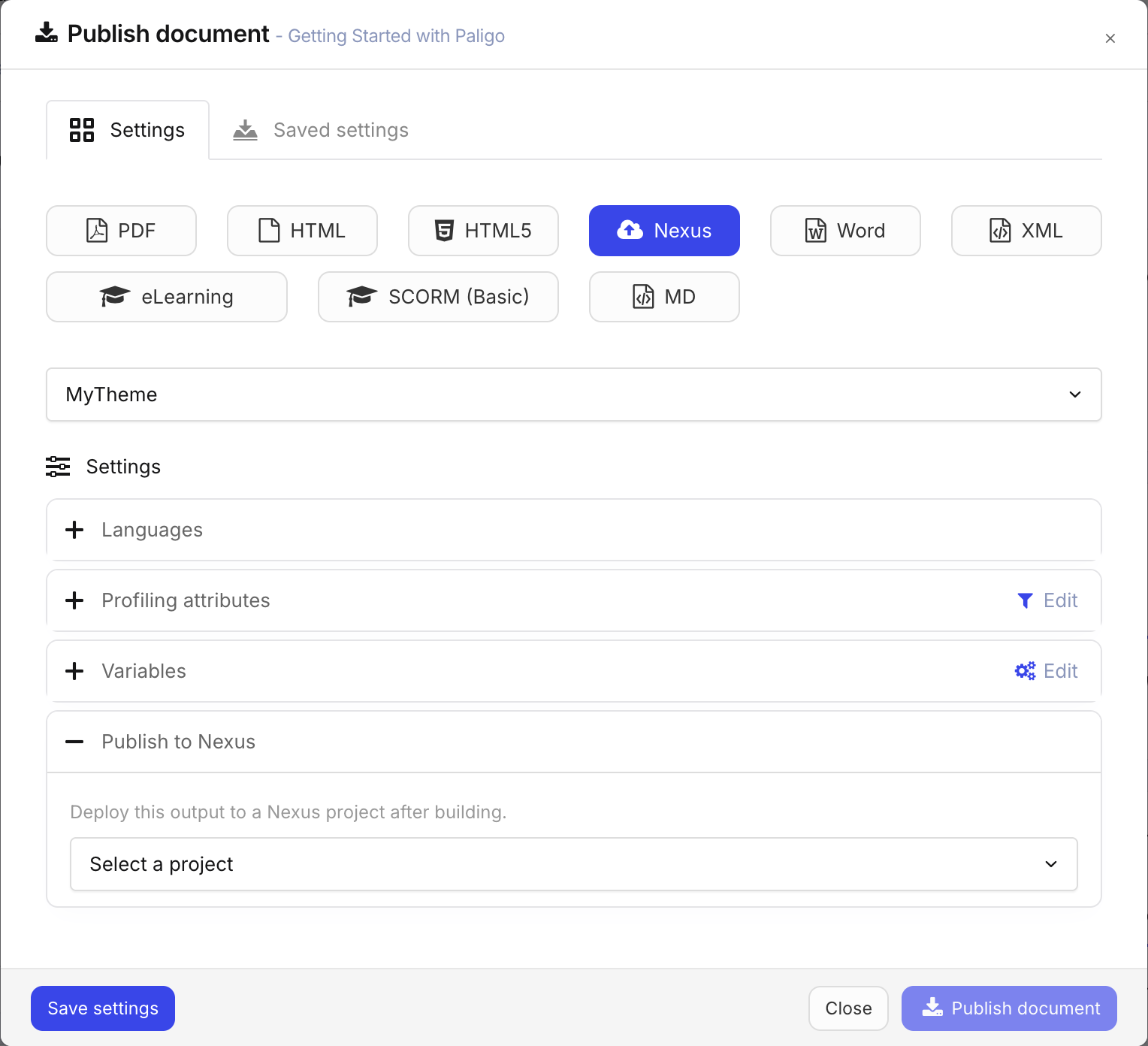
In Publish to Nexus, choose the Nexus project to publish to.
Every Nexus project has its own address, so this decides where the output is published.
Select Publish document.
Note
It takes a few minutes after publishing finishes for the output to appear at the project's address.