Nexus themes
Download a theme
You can download the theme a layout uses. Download Paligo Base to start a custom theme from it, or download a custom theme to change it or keep a copy. To download a theme:
Select Layout in the top menu.
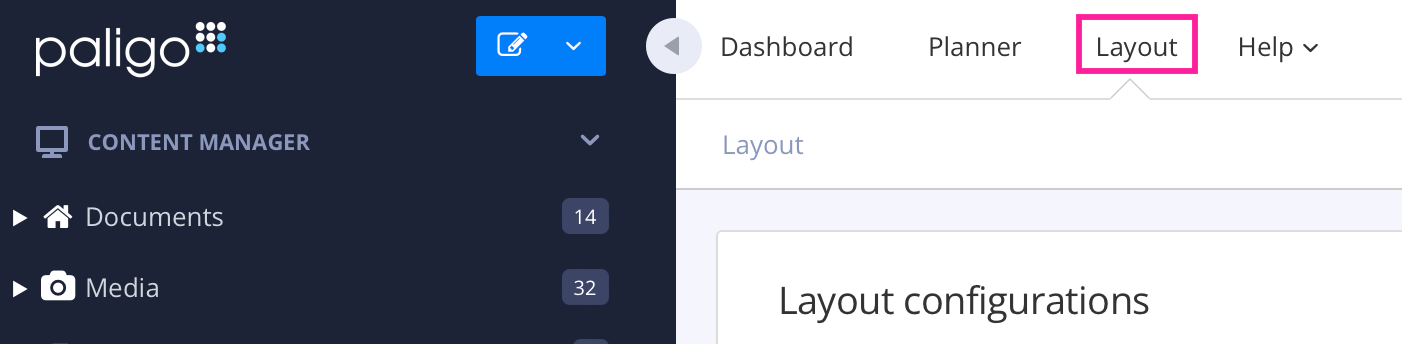
Paligo displays a list of Layouts. The list is empty if there are no custom Layouts in your Paligo instance.
Select the Layout you want to update or Create a Layout.
TipYou can copy the URL of the Layout Editor and paste it into a new tab in your browser. This can be useful if you frequently switch between your Paligo content and the Layout settings.
Select Theme in the list of categories.
In Theme source, choose the theme to download:
Paligo Base downloads the built-in theme.
Custom — upload your own downloads the theme uploaded to this layout.
Select Download this theme.
Paligo downloads the theme as a ZIP file named after the theme and its version, such as
paligo-base-1.9.0.zip.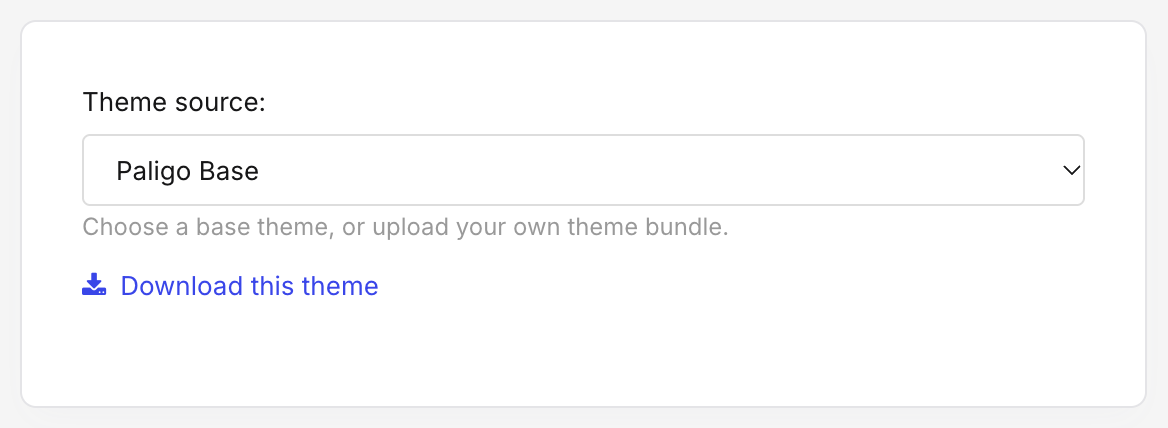
The downloaded file is a complete theme. You can upload it to a layout unchanged, or unzip it and change it. For what is inside, see Theme package structure.
Each upload is stored separately, so an earlier revision of a layout still downloads the theme it used at the time.