Cross-References and Links
IDs for Cross-References
Paligo content is stored in a database and each element can have its own unique ID. Certain types of content, such as paragraphs, images and variables have a special type of ID called xinfo and this is always generated by Paligo. Other elements can have an optional ID called xml:id and these can be generated automatically by Paligo or manually by you.
Cross-references in Paligo use the id to identify the target of the cross-reference. Paligo creates the id automatically for some types of cross-reference, primarily those to components that can have a title. It is added as an xml:id attribute. But you may need to add an xml:id attribute manually for cross-references to other types of content. This applies to cross-references between topics and also cross-references to content inside the same topic, for example, to a subsection.
In most cases, we recommend that you cross-reference to a:
SectionSubsection - a
sectioninside anothersectionA structure that can have a
title, such as atable.
If you want to cross-reference to a different type of content, that is only possible if that content has an xml:id. So you may need to Manually Generate IDs for Cross-references before you can link to it.
It's also possible to set Paligo to auto-generate xml:ids , see Auto-Generate IDs for Cross-References .
Manually Generate IDs for Cross-references
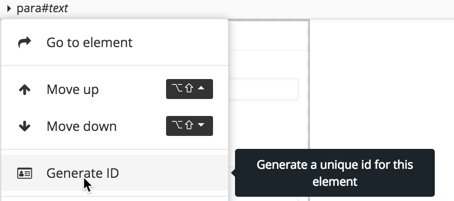
You can only add cross-references to elements that have an xml:id. If the element you want to reference does not have an xml:id, you can generate one manually. Paligo has a feature in the editor that generates a suitable id for you. It's not a good idea to make up your own id values, as ids should be unique.
You can set Paligo to auto-generate the xml:ids, see Auto-Generate IDs for Cross-References.
To generate a unique xml:id for an element:
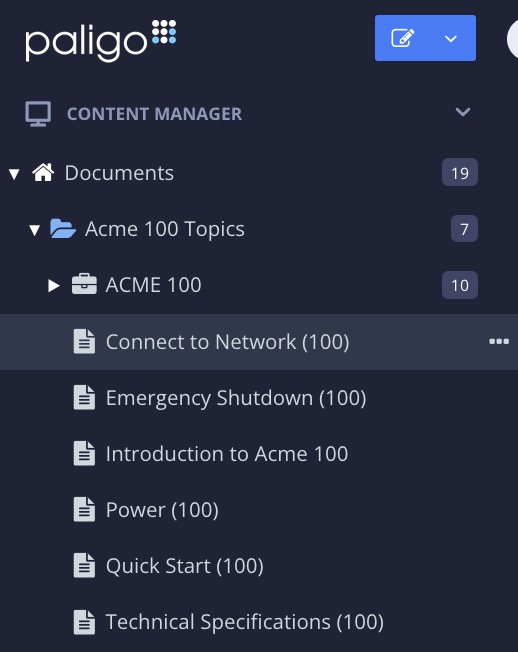
Select the topic or component in the Content Manager to open it in the Editor.
Alternatively, you can Create a Topic and edit that.
Select the target element In Element Structure Menu and choose Generate ID.
For example, if you want to link to a procedure, select the
procedureelement.
Paligo generates an
xml:idfor the element in the Element Attributes Panel
Select Save.

You should now be able to add a cross-reference to the element, see:
Auto-Generate IDs for Cross-References
You can only add cross-references to elements that have an xml:id. This is an attribute that you can add manually, but to save time and effort, it is usually better to let Paligo auto-generate them for you.
To set up automatic xml:id generation, use the Editor settings. There, you can choose which elements should get auto-generated xml:ids. Your choices will apply to all topics in your Paligo instance, and for all users.
Select the topic or component in the Content Manager to open it in the Editor.
Alternatively, you can Create a Topic and edit that.
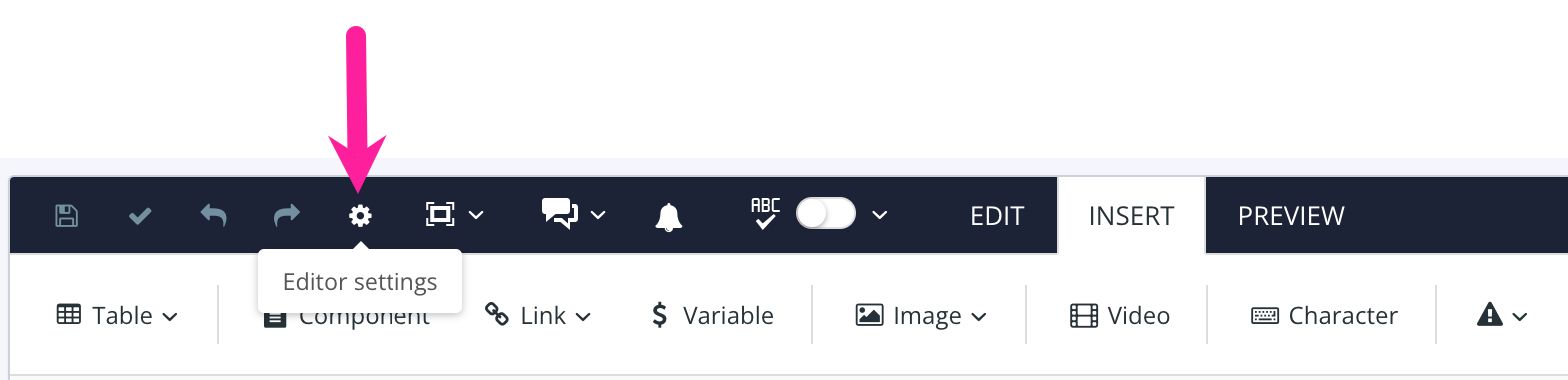
Select the cog icon in the Toolbar.

Select the Global settings tab in the Editor Settings.
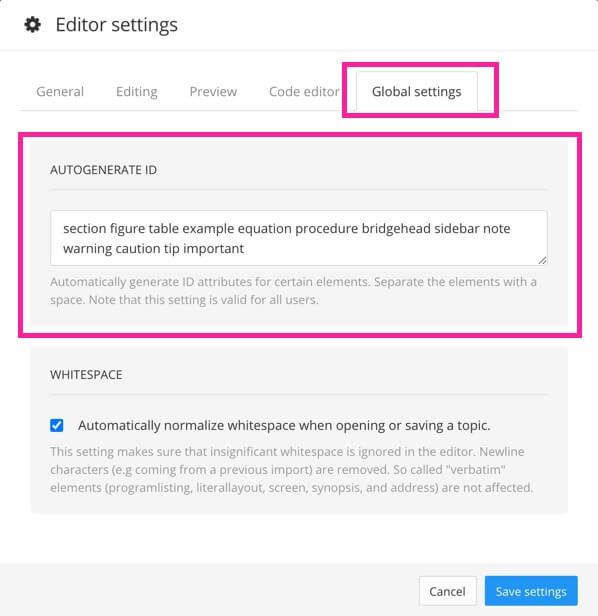
Add the names of elements that should get auto-generated
xml:idsin the Autogenerate ID field.Typically, we find that auto-generating
xml:idsfor the following elements is sufficient for most users (if needed, you can add more elements to the list):section figure table example equation procedure bridgehead sidebar note warning caution tip importantUse a space to separate each element name and make sure to add the element names in lower case.
NoteWe recommend not remove any of the default elements and only add to them if needed. In many cases, linking to a
sectionelement is sufficient to guide the reader to the relevant information.CautionIf you change the default settings for which elements should get an auto-generated
xml:id, we recommend you only include the larger block element structures.Do not include elements such as
paraandtitle, as that could cause issues with duplicate ids when you reuse text fragments.Select Save Settings.
When you, or other users, add a new element to a topic, Paligo checks to see if it is listed in the Autogenerate ID field. If it is listed, Paligo will give that element an xml:id. But it will only give an xml:id to new elements, not elements that previously existed in the topic.
It is also possible to manually generate xml:ids via Element Structure Menu, see Manually Generate IDs for Cross-references