Advanced Search
Search for the UUID
UUID (Universally Unique IDentifier) is used to identify information. It can be used to find or replace information. There are different ways to find the UUID depending on the type of content.
Find Topic or Publication UUID
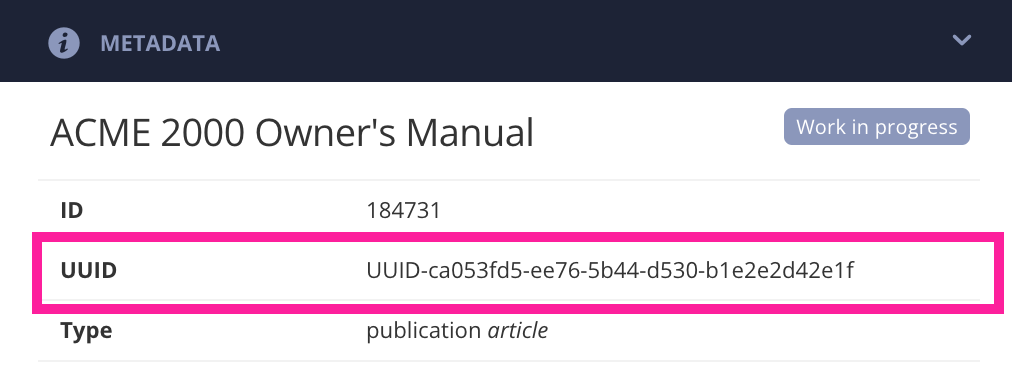
The UUID of a topic or publication is shown in the Metadata Section in the Structure View.
You can also find the UUID of a reused topic by hovering over it in the Preview Section of a publication.

To find the UUID of a topic or publication:
Select the Dotted menu (...) to the right of the topic or publication in the Content Manager.
Select Edit and choose Open structure.


The Metadata Section shows the UUID.
Find Image UUID
The image UUID is found in the Image Detail View reached from the Media folder in the Content Manager. 
You can also find it in the Element Attributes Panel when reused in a topic or a component, see Find Element XML ID.
To find the image UUID from the Media folder:
Select the image in the Content Manager.


Paligo opens the Image Detail view.
The Image Detail view shows the UUID.
