Apply Taxonomy Filter Tags
When you have the appropriate filter tags and hierarchy in place, you can apply the tags to topics and publications (reused publications, also known as subpublications).
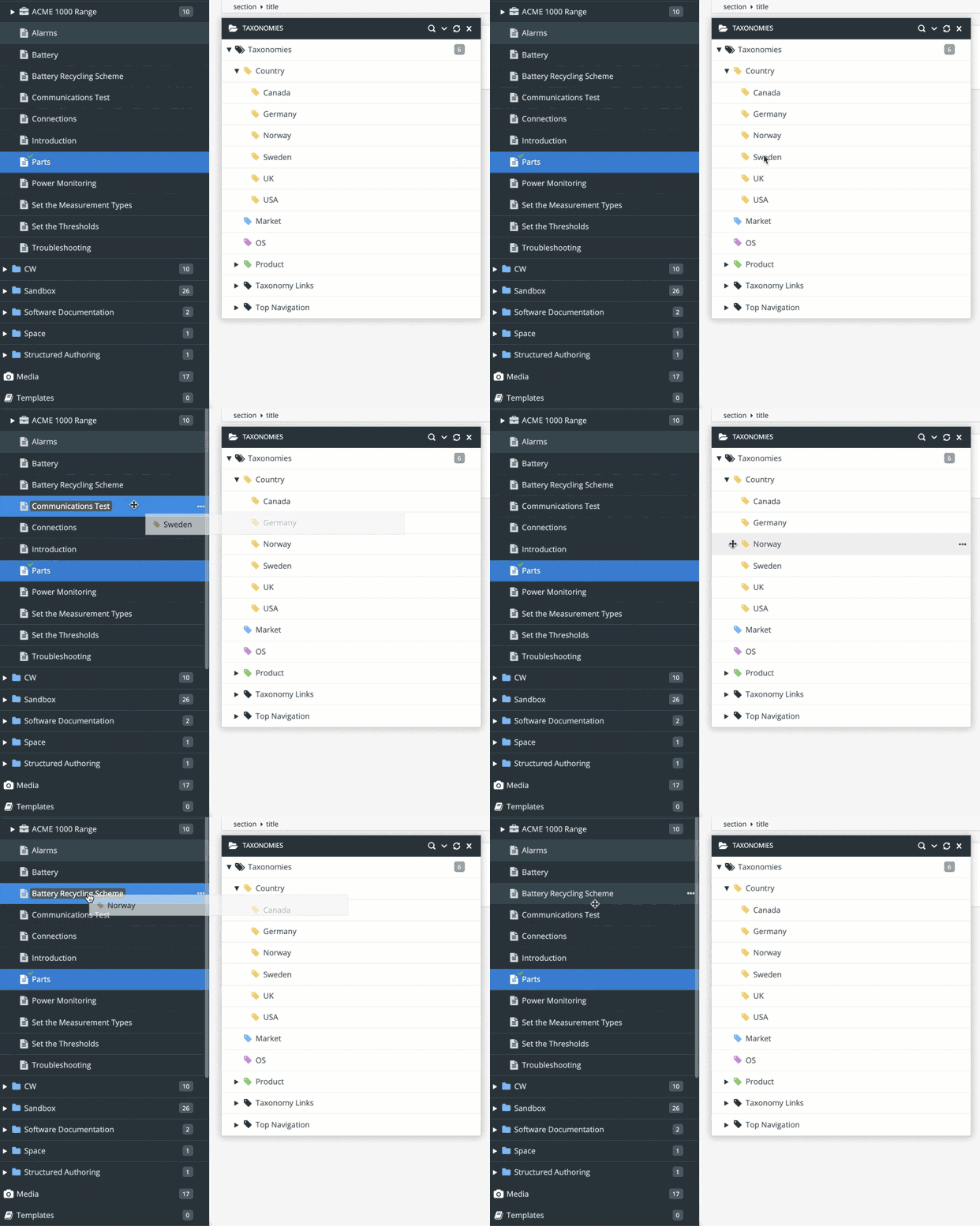
Select the dotted menu ( ... ) for the Taxonomies tag in the Content Manager, and choose Taxonomy Floating Content Panel.

In the Taxonomy Floating Content Panel, find the tag that you want to apply. Drag the tag onto the topic or subpublication in the Content Manager.
Note
When you add a taxonomy tag to a subpublication, Paligo displays a dialog that has an Apply to children checkbox.

Check the box to also apply the tag to the child topics in the publication. But please note that the tag only gets added to child topics. If there are child subpublications, they do not get the tag. You will need to apply the tag to those separately.
Leave the box empty to apply the tag to the publication only, and not any of its child topics.
Repeat step 2 for each topic that you want to filter.
Tip
You can apply taxonomy tags to multiple topics at once. For more information on different ways of applying taxonomy tags to content, see Apply Taxonomy Tags to Content.
When you have applied the taxonomy tags to your topics, the next step is to choose a taxonomy filter strategy. This tells Paligo how to use the taxonomy hierarchy when it applies the filters.