[en] Upload a custom theme
[en] A custom theme is a ZIP file that contains the theme's templates, styles and other files. You upload it to a theme layout, and Paligo checks it before you can use it. To upload a custom theme:
Wählen Sie im oberen Menü Layout aus.
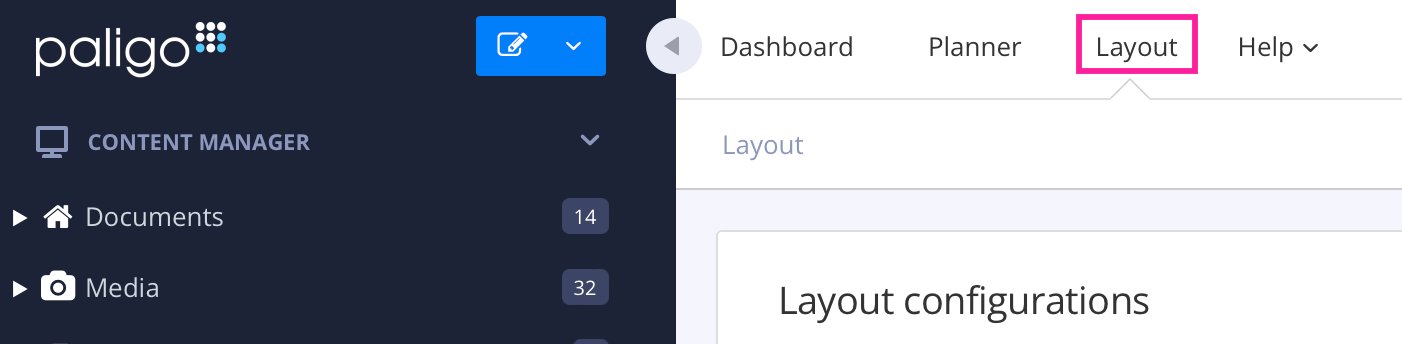
Paligo zeigt eine Liste von Layouts an. Die Liste ist leer, wenn keine benutzerdefinierten Layouts in Ihrer Paligo-Instanz vorhanden sind.
Wählen Sie das Layout, das Sie aktualisieren möchten, oder Ein Layout erstellen aus.
Tipp
Sie können die URL des Layout-Editors kopieren und in eine neue Registerkarte in Ihrem Browser einfügen. Dies kann nützlich sein, wenn Sie häufig zwischen Ihren Paligo-Inhalten und den Layout-Einstellungen wechseln.
[en] Select Theme in the list of categories.
[en] In Theme source, choose Custom — upload your own.
[en] Next to Theme bundle, select Upload.
[en] Drag the ZIP file into the File upload dialog, or select Choose a file and choose it.
[en] Paligo checks the file as it is uploaded. If the file can't be used, a message says why, and nothing changes. For what each message means, see [en] Theme validation messages.
[en] If the upload succeeds, the theme's options appear below it and Paligo checks the theme in more depth. While it does, Theme uploaded. Validating… is shown.
[en] Wait for the result of the check:
[en] Theme validation passed: the theme can be used.
[en] Theme validation failed: the theme has errors that are likely to stop pages from being published. Each error names the template and the line it is on. Correct the theme and upload it again.
[en] Warnings are shown in lighter text and don't make the check fail.
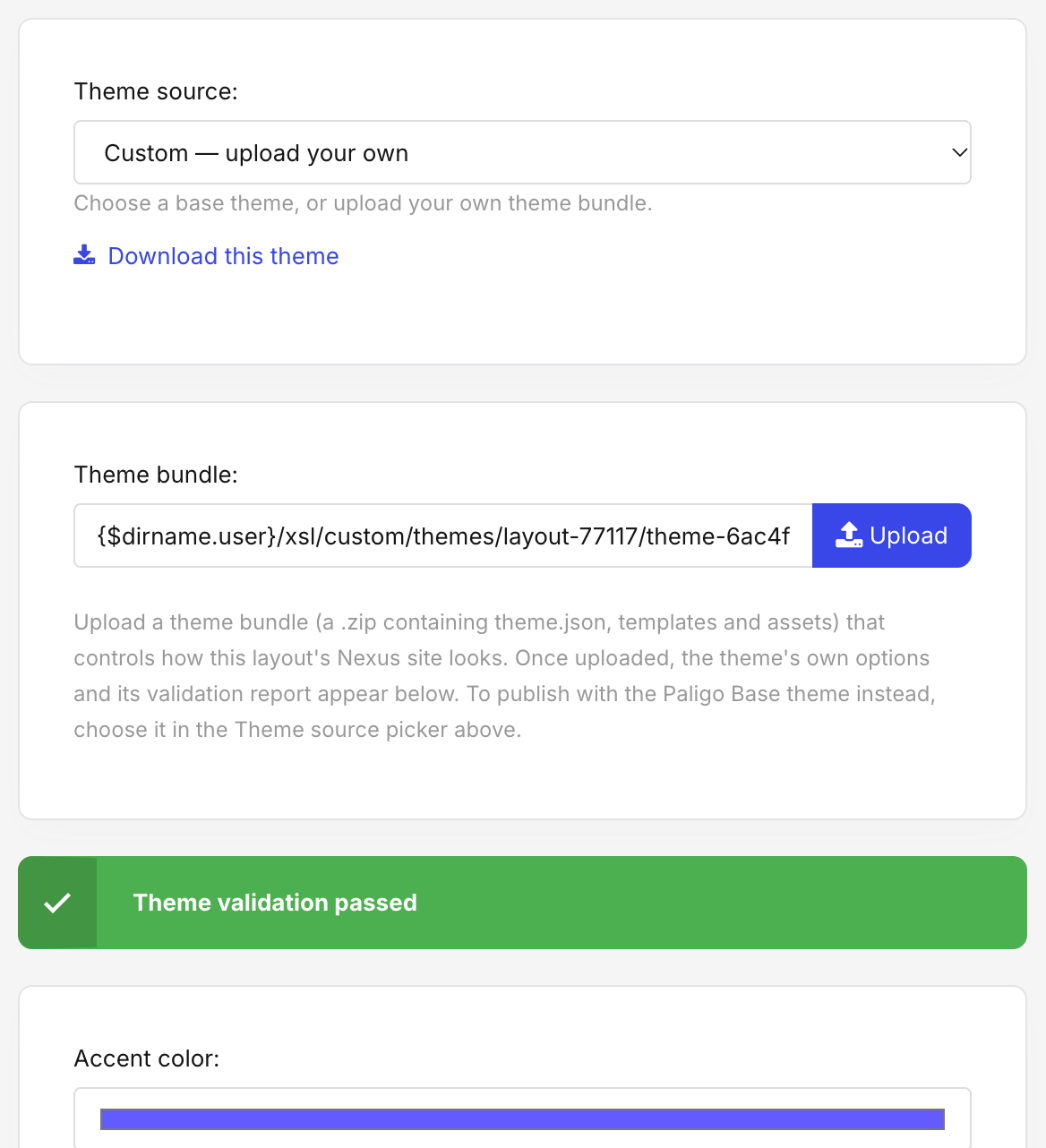
[en] Set the theme's options, as described in [en] Set theme options.
[en] Select Save.
[en] The layout uses the uploaded theme the next time you publish with it.
Anmerkung
[en] If the validation takes more than about two minutes, Theme validation did not finish is shown. The theme is uploaded and can be published. Select Check again to ask for the result, or reopen the layout later.
Tipp
[en] If your ZIP file had the theme's files inside a folder, Paligo uses them anyway and says so in a yellow box headed About the uploaded ZIP. For how to create the ZIP file, see [en] Theme package structure.