[en] Markdown import properties
[en] Some aspects of the import are particular to the Markdown file format and the way it is converted into valid XML. You can adjust some of these by using the import settings that match your requirements, while others may require you to adjust the actual Markdown content.
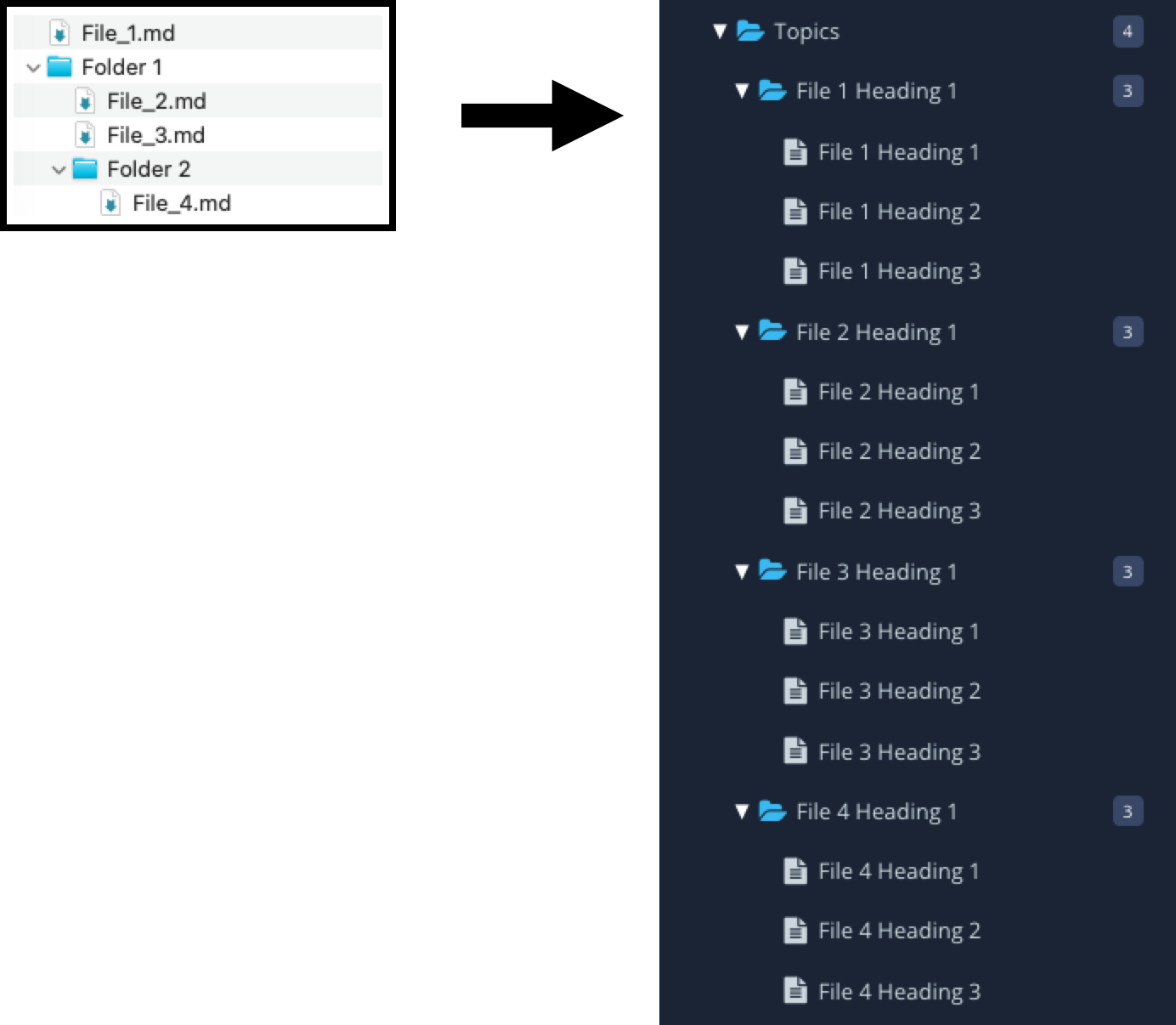
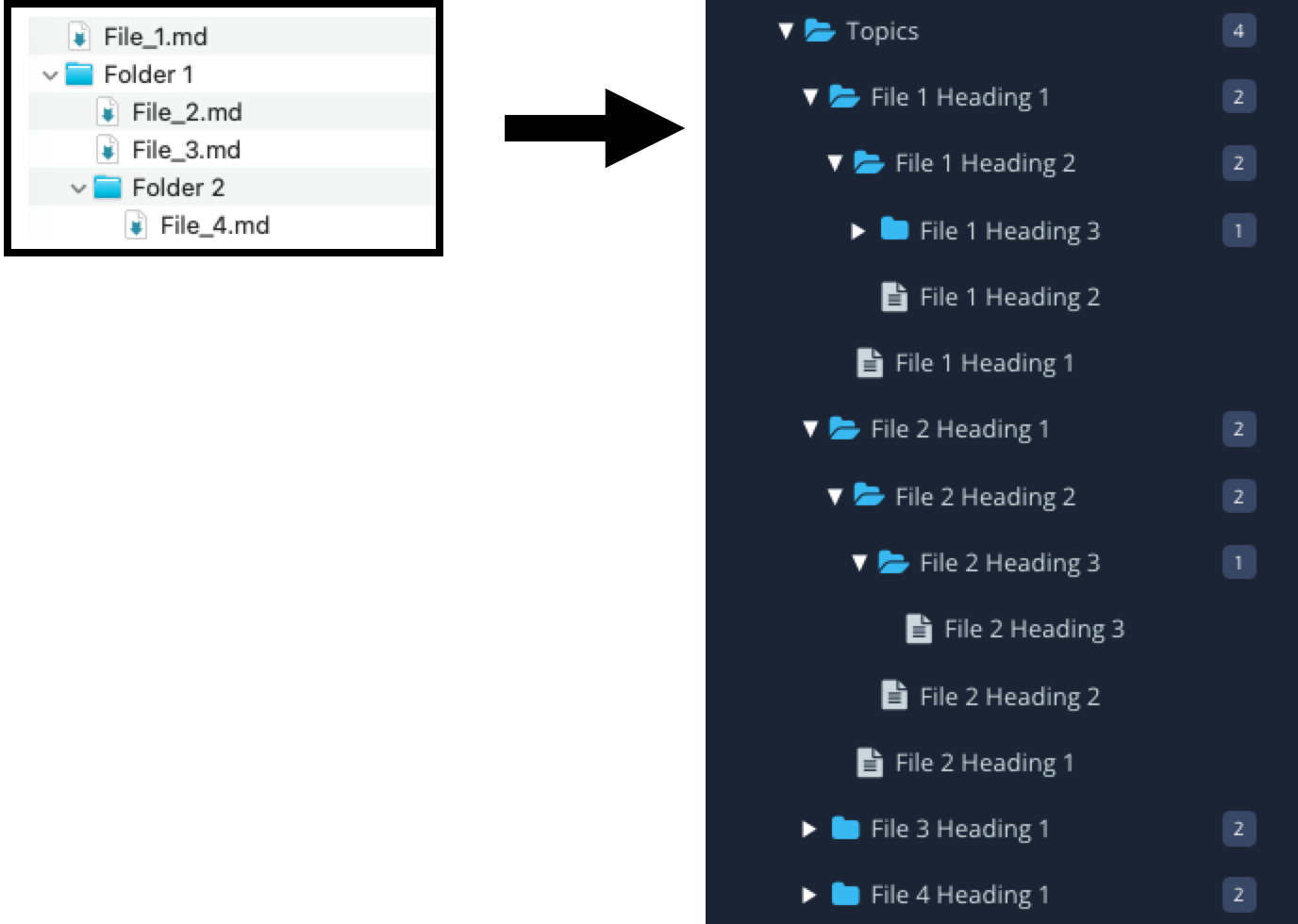
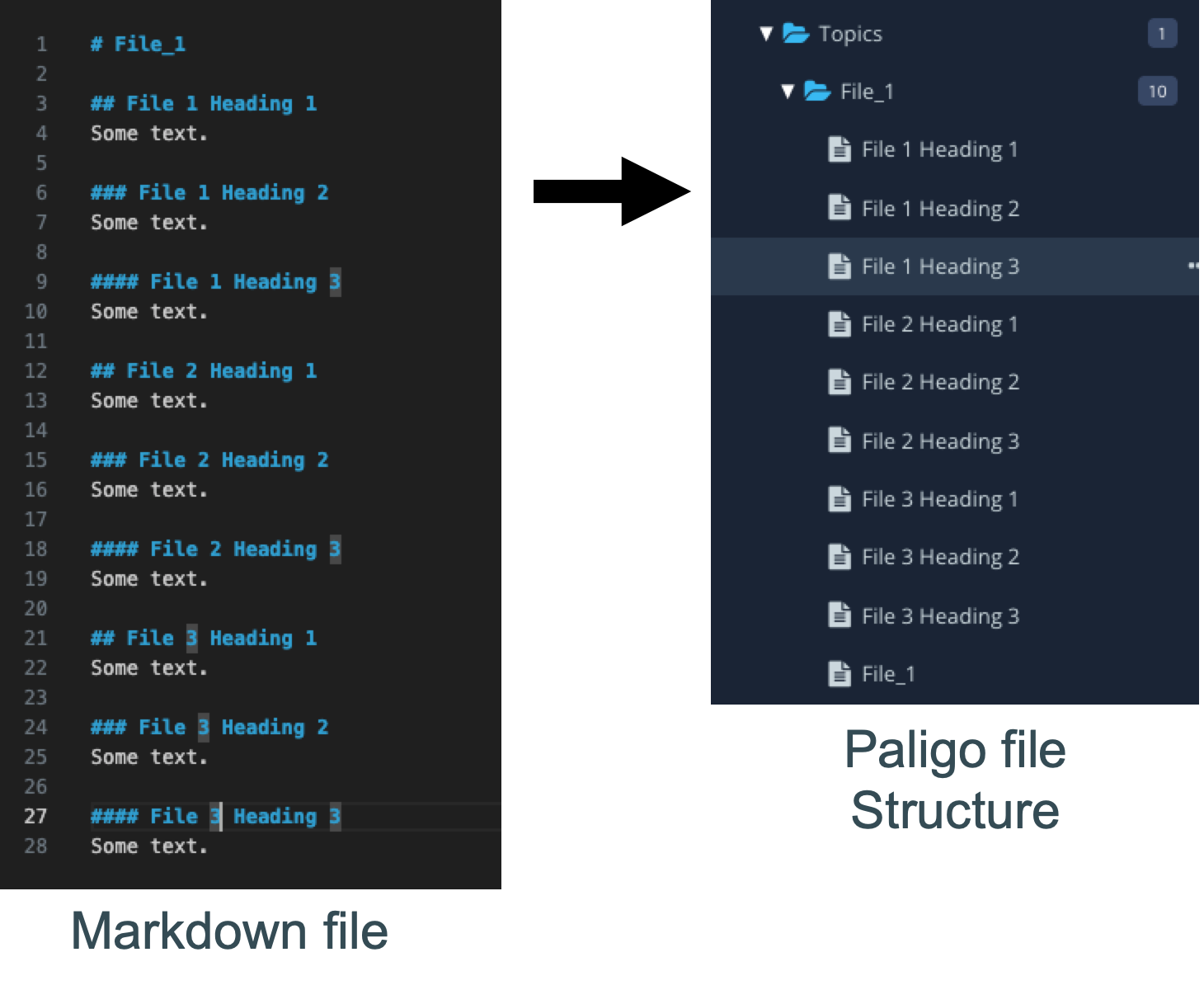
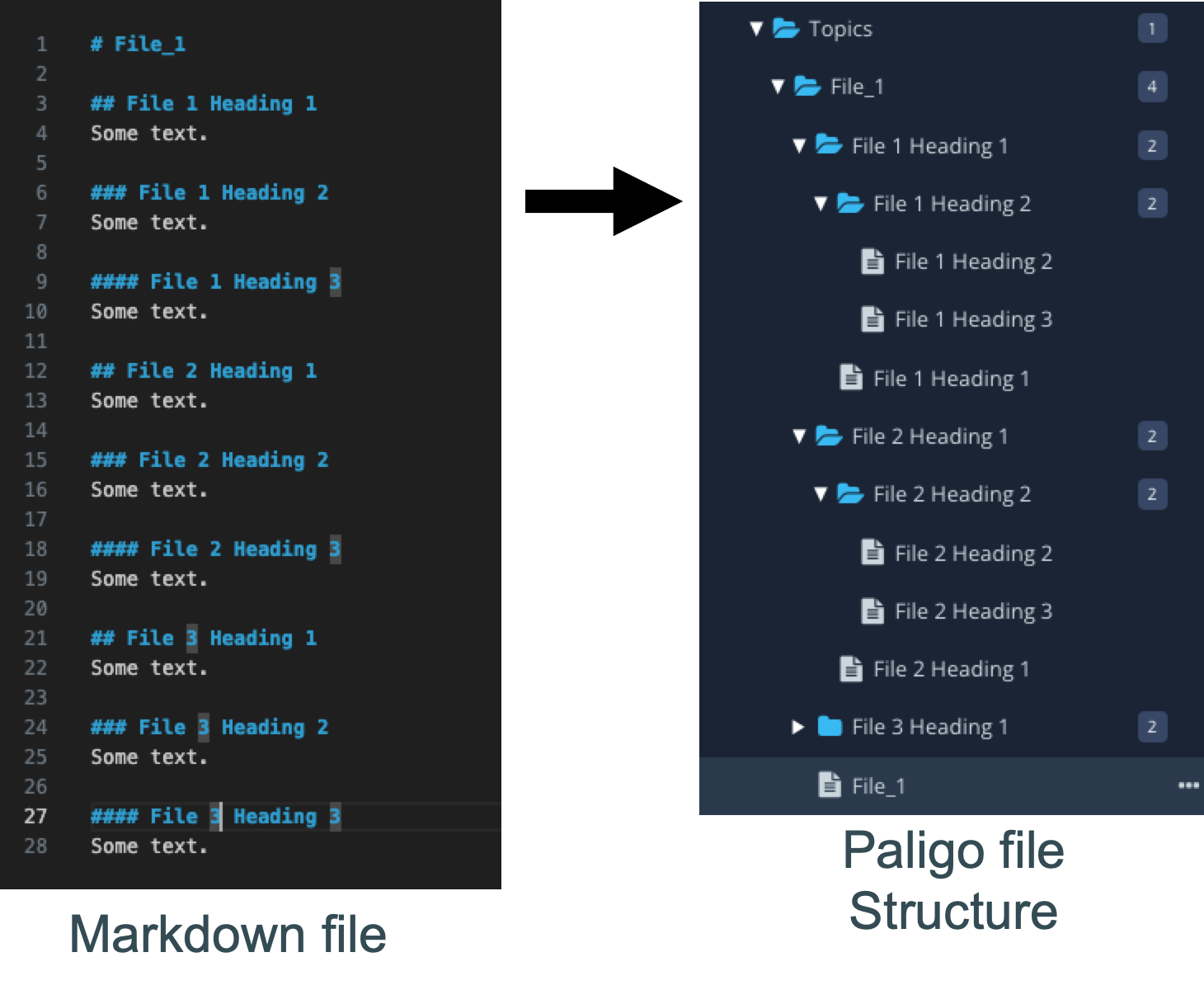
[en] Folder structure after import into Paligo is dependent on headings included in the Markdown files (# Heading 1, ## Heading 2, ### Heading 3 etc.), in conjunction with the Max folder levels import setting. Every heading level gets imported into its own topic. By default (if Max folder levels is left at 1), every heading 1 topic is stored in its own folder, together with all subheading topics. If Max folder levels is set higher, lower level headings will also be stored in their own folder.
Anmerkung
[en] Folders and topics are named with the heading content.
[en] Every Markdown file contains three heading levels (# Filename Heading 1, ### Filename Heading 2, ### Filename Heading 3).
 |
[en] Every Markdown file contains three heading levels (# Filename Heading 1, ### Filename Heading 2, ### Filename Heading 3).
 |
 |
 |
[en] In the case of a multifile import, relative links that go up the directory structure (e.g. ../another_topic) will resolve to the first match encountered. This means that if you have files with the same name in multiple places in your directory, upward relative links to all of those files will resolve to the first match in the hierarchy.
[en] Relative links that point down in the directory structure will be resolved correctly.
[en] In order to avoid possible linking errors, and for reasons of structure control, we recommend that you consolidate all of your Markldown files into a single large file, with heading levels, identifiers and relative links set correctly.
[en] Images are placed inside the Media folder, into a folder named with the root Markdown file's Heading 1, with subdirectories bearing the name of the topic the image is referenced from.
[en] Make sure all of the images you want to import are correctly referenced in the Markdown file(s), using a relative reference.
Anmerkung
[en] Images that are not referenced, will not be imported, even if they are included in the imported .zip file.
[en] If your Markdown file contains a table of contents, the import will create a separate topic containing that table of contents including cross-references to the relevant topics the entries refer to.