[en] Turn AI Answers on or off
[en] To turn AI answers on or off in a Nexus project:
[en] Select Nexus in the top menu. You are presented with the list of current Nexus projects.

[en] Access the project you want to configure by selecting it in the list.
[en] Select the AI Answers tab.
[en] Select the On/Off toggle switch.

[en] If you are turning AI Answers on, you will see the following message:
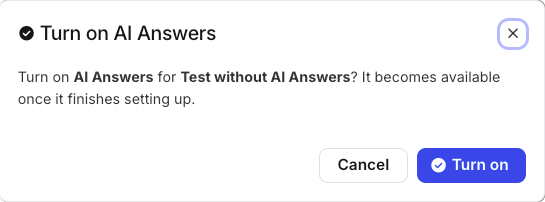
[en] Select Turn on. The toggle's badge will read Setting up while AI Answers is being activated.
Anmerkung
[en] When AI Answers is turned on, the widget will be turned on automatically as well.
[en] If you are turning AI Answers off, you will see the following message:
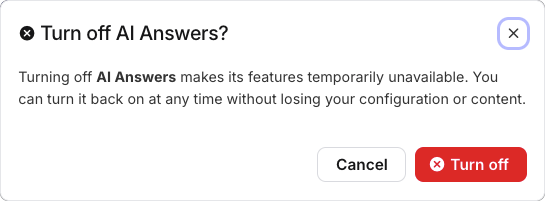
[en] Select Turn off. The toggle's badge will read Off.